
Contents
Will it fit the "cigarette lighter"?
Yes - every standard plug-in car charger fits that round socket.
The name is a leftover from when every car came with a lighter.
Today the same socket is almost always labelled a 12V accessory outlet, and many cars ship without a lighter at all. The size has been standardised for decades, so a charger bought today fits a car from the 1990s just as well as a new one.
The charger itself is the clever part. Your car supplies roughly 12-14.5V, and USB-C devices negotiate anywhere from 5V to 20V. The charger converts between the two and tells your phone or laptop exactly what it can offer.
- Cars vs trucks. Cars run 12V systems. Many heavy trucks, coaches and some RVs run 24V. Most quality chargers are rated 12-24V, but check the label before using one in a 24V vehicle.
- Socket budget. Most accessory sockets are fused somewhere around 10-20A, which works out to roughly 120-180W. A 130W charger is fine; running it next to a tyre inflator on the same circuit may pop the fuse. Your owner's manual lists the rating.
- Loose fit. If a charger wobbles or cuts out over bumps, clean the socket with the car off. A coin or crumbs in the bottom is the usual culprit, not the charger.
How many watts you actually need
Wattage is the one number that matters, and the one listings love to blur. Match it to the biggest device you plan to charge:
- 12-18W - old USB-A territory. Keeps a phone alive on navigation, but barely gains charge while the screen is on.
- 20-30W per port - fast-charges essentially every iPhone and Pixel. The sweet spot for a phone-only car.
- 45W per port - needed for Samsung's fastest mode, and enough for a tablet or a small laptop.
- 65-100W from one port - properly charges a mainstream USB-C laptop while you drive.
The cable is the other half of the equation. A 30W charger on a frayed, five-year-old cable is a slow charger, and any laptop charge above 60W needs a 5A (100W or 240W) USB-C cable. The charging cables guide covers exactly which one to pair.
Phone by phone: what each one wants
Most people land here asking about one specific phone. These are ballpark figures from manufacturer specs; above them, extra wattage is simply unused rather than harmful.
| Device | Useful per-port output | What to look for |
|---|---|---|
| iPhone 15, 16, 17 | 20-30W+ | USB-C PD. Anything 30W or more is future-proof, since newer Pro models can take a little more. |
| iPhone 14 and older | 20W | USB-C PD with a USB-C to Lightning cable. |
| Samsung Galaxy S Ultra | 45W | USB-C PD with PPS, plus a 5A cable. Without PPS it falls back to a slower mode. |
| Samsung base / Plus, Pixel | 25-30W | USB-C PD with PPS. |
| iPad / Android tablet | 30-45W | USB-C PD. |
| Thin laptop (MacBook Air, Chromebook) | 45-70W | USB-C PD from a single port, and a cable rated above 60W for the upper end. |
| Larger USB-C laptop | 100W | A 100W single-port charger and a 5A cable. It will charge, but slower than the wall brick if the laptop wants more. |
| Dashcam, older gadgets | 5-12W | A USB-A port is fine here - the only place it still earns its spot. |
PPS (Programmable Power Supply) is the detail most shoppers miss. It is part of the USB PD standard that lets the phone fine-tune voltage in small steps, and Samsung's fastest charging modes rely on it. Most modern chargers from established brands include it; cheap ones often don't.
What to buy
Five categories cover nearly every driver. Model names are examples of each class, and prices are approximate US street that swing constantly with sales.
Anker Nano 75W (retractable cable)
~$20-3545W built-in retractable USB-C cable (about 2.3 ft) + 30W USB-C port · 75W total
The built-in retractable cable solves the problem most car chargers ignore: the cable that goes missing, or ends up tangled under the seat. The 45W cable fast-charges any phone, including a Galaxy Ultra, while the spare 30W port handles a passenger. It is compact enough not to dominate the centre console.
Pros
- Built-in cable means nothing to forget
- Two genuinely fast USB-C outputs
- Compact, tidy console
Cons
- 45W cap - too little for most laptops
- A worn built-in cable means replacing the whole unit
- Check the input rating if you drive a 24V truck
UGREEN 130W 3-port
~$25-402x USB-C + 1x USB-A · up to 100W from one USB-C port · PD 3.0 / PPS / QC 4.0 · 12V-24V · 100W cable included
The pick for anyone who works from the car, or charges a laptop between site visits. A single port can deliver around 100W, which is enough to charge most USB-C laptops at close to full speed. It supports PPS for Samsung, and it ships with a cable that can carry the wattage.
Remember that 130W is the total. With a laptop and two phones connected, the laptop port drops.
Pros
- Real laptop charging from one port
- PPS, so Samsung phones fast-charge
- 12V-24V input, suitable cable included
Cons
- Sticks out further than compact models
- Output drops sharply when all three ports are busy
- Near the limit of some sockets' fuse rating at full load
INIU I711 66W with voltage display
~$15-20USB-C PD + USB-A QC · 66W total · 12V-24V · live car battery voltage readout
A low-cost, all-metal charger from an established power brand, with a party trick: a small display showing your car's electrical voltage. That readout is useful for spotting a tired battery before it strands you (see the battery section for what the numbers mean).
The USB-A port is dated, but handy for a dashcam or an older cable.
Pros
- Cheap, yet from a known brand
- Voltage display doubles as a battery check
- USB-C fast enough for any phone
Cons
- 66W is the total, split between ports
- Only one USB-C port
- The display draws a little power if the socket stays live
Qi2 magnetic car mount (Anker Prime 25W class)
~$40-90Qi2 magnetic mount · up to 25W on recent iPhones, 15W on older models · vent clip · actively cooled on premium models
If your phone is your sat-nav, a magnetic mount that charges while it holds is the neatest setup in the car. Qi2 brought proper magnetic alignment to the whole industry, and the newer 25W version (sometimes sold as Qi2.2) roughly matches a basic cable on recent iPhones.
The catch is heat, which is why the premium models build in a fan or cooling plate. Cheaper 15W Qi2 mounts cost roughly half as much and are fine for keeping a phone topped up on navigation.
Pros
- Mount and charger in one; no cable to plug in
- Magnets keep charging aligned over bumps
- Active cooling on better models
Cons
- Slower and warmer than a cable
- Vent clips don't suit every car's vents
- Many Android phones need a magnetic case
Multi-port with a rear-seat extension
~$20-40Front charger + hub on a 4-5 ft lead · 4-5 ports total · clips to the front seat back
For road trips with kids, this is the one that ends the back-seat arguments. Two ports stay up front, and a small hub on a long lead clips to the back of a front seat.
Be wary of big totals here: 78W across five ports is often around 15-20W each once everything is plugged in. Stick to brands that publish a per-port breakdown and have safety certifications on the listing.
Pros
- Charging reaches the back seats
- Enough ports for a family
- Cheap
Cons
- Slow per device when everything is plugged in
- Mostly lesser-known brands
- A long lead to route and trip over
What about the car's own USB ports?
Built-in USB ports vary wildly, and most are slower than a $15 plug-in charger. Older cars often provide 5V at 0.5-2.1A, which is 2.5-10W - enough to keep a phone from dying, not to charge it on navigation.
Newer cars increasingly fit USB-C ports rated 15-27W, and a handful now offer 45-60W. Your manual or the port's label will say. If a built-in port is labelled for data or CarPlay, it is often the slowest one in the car.
A good plug-in charger is still the simplest upgrade for most cars, and it moves with you to the next one.
Will it drain your car battery?
Only if you leave it plugged into a socket that stays live. In many cars the 12V socket switches off with the ignition. In plenty of others - especially older cars, vans and some SUVs - it stays powered around the clock.
A charger with nothing attached still draws a small idle current, and displays or LEDs add to it. Over a normal week of driving that is irrelevant. For a car parked for a couple of weeks, or one with an old battery, it can make the difference on a cold morning.
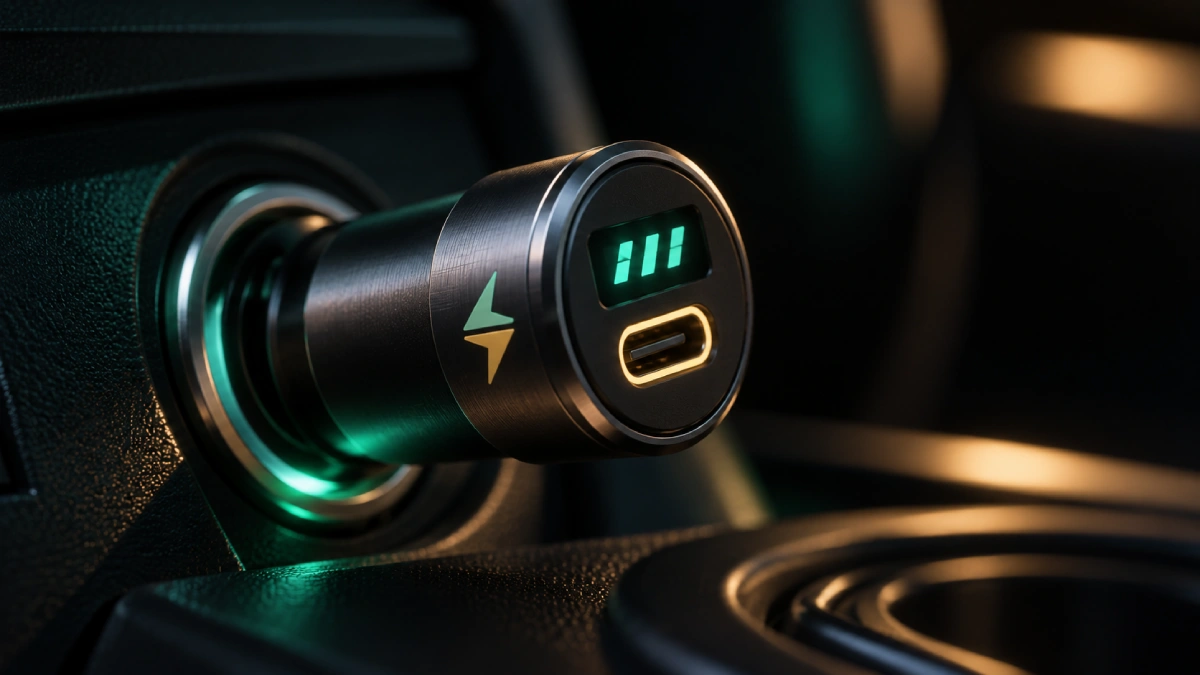
Reading a voltage display
If your charger shows voltage, it gives you a rough view of battery health for free. Treat these as ballparks - the reading passes through wiring and varies by car:
| Reading | Engine | What it roughly means |
|---|---|---|
| ~12.6V or more | Off, rested | Healthy, well-charged battery |
| ~12.2-12.4V | Off, rested | Partly discharged; a long drive should top it up |
| Under ~12.0V | Off, rested | Low - worth charging or having the battery tested |
| ~13.5-14.8V | Running | Alternator charging normally |
Many modern cars use "smart" alternators that deliberately let voltage wander while running, so a single odd reading on the move is not a fault. A consistently low engine-off reading is the useful signal. For a proper diagnosis, a parts store battery test is quick and usually free.
Heat: the car's real problem
The biggest threat to your phone battery in a car isn't the charger - it's the sun. A windscreen mount in summer, a phone on the dashboard, or a closed car parked in the heat can push a phone far past the temperatures its battery is happy at. Add fast charging, or wireless charging, and it gets hotter still.
- Phones protect themselves by slowing or pausing charging when they get hot. If charging stalls on a sunny drive, that is usually why.
- Mount out of direct sun where you can, and a vent mount with the air conditioning on is kinder than a dash mount.
- Don't leave phones, power banks or chargers baking in a parked car. A glovebox in summer is a poor home for any lithium battery.
The long-term effects are covered in does heat really wear out your battery? The short version: heat, not fast charging, is what ages a battery.
What to avoid
- Unbranded gas station chargers. They are often slow USB-A units with no published specs and no safety certifications, and they sit in a socket with a 15A fuse behind them.
- Impossible numbers. A thumb-sized "240W" charger for $9 is fiction. Trust brands that publish per-port output.
- USB-A only. In 2026 it is a dashcam port, not a phone charger. Get at least one USB-C PD port.
- Missing PPS if you own a Samsung. It will charge, just noticeably slower.
- Mystery cables. The charger can only deliver what the cable carries. See the cables guide.
- Damaged chargers. One that gets very hot, smells of burning, or has a cracked or loose shell should go straight in electronics recycling.
Bottom line: a two-port USB-C PD car charger with 30W or more per port, plus a decent cable, is all most drivers need. Go to 100W single-port only if you charge a laptop, pick PPS if you carry a Samsung, and choose a Qi2 mount if your phone doubles as your sat-nav. If your socket stays live with the engine off, unplug before a long park.
FAQ
Will a USB car charger fit my cigarette lighter socket?
Yes. The round cigarette lighter socket and the 12V accessory socket share the same standard size, so any normal plug-in car charger fits either one. In most modern cars there is no lighter at all and the socket is simply a 12V power outlet. If a charger feels loose or keeps cutting out, clean the socket with a dry cloth (with the car off) and check for a coin or debris at the bottom before blaming the charger.
Can a car charger drain my car battery?
It can, slowly. Many cars keep the 12V socket powered with the engine off, and a plugged-in charger draws a small amount of current even when nothing is connected to it - more if it has a display or LED. Over a normal day that is irrelevant, but over a week or two of the car sitting unused, or on an older, weaker battery, it can add up. If your socket stays live with the ignition off, unplug the charger when you park for more than a few days.
How many watts do I need in a car charger?
For phones, 20-30W per USB-C port is enough to fast-charge almost any current iPhone or Pixel. Samsung Galaxy Ultra models need a port that supports 45W PPS for their fastest mode. Tablets want about 30W, and a thin laptop needs roughly 45-65W from a single port. If you charge two devices at once, check the per-port figures: a charger's headline wattage is usually the total, shared between ports.
Can I charge a laptop from a car charger?
Yes, if the laptop charges over USB-C and the car charger can deliver enough from one port - about 45W for a small laptop and 65-100W for a mainstream one. You also need a USB-C cable rated for that wattage; a 60W cable caps the charge at 60W however strong the charger is. Laptops that use a barrel or proprietary connector need a dedicated car adapter or an inverter instead.
Do USB car chargers work in 24V trucks?
Most quality chargers accept 12V to 24V input, which covers cars, vans, and most heavy trucks, RVs and boats with 24V systems. It is not universal, though, and some compact models only state 12V. Check the input rating printed on the charger or its listing before using it in a 24V vehicle.
Why does my phone charge slowly in the car even with a fast charger?
Usually one of four things. The cable may be old or not rated for fast charging. Navigation with the screen at full brightness can use nearly as much power as a modest charger supplies. The phone may be hot from sun or a wireless mount and throttling itself to protect the battery. Or a second device is sharing the charger's total wattage. Swap the cable first - it is the cheapest fix and the most common cause.
Wattages, prices, model names and vehicle specifications are approximate ballparks that vary by product, region and car, and change frequently. Voltage readings are rough indicators, not a battery diagnosis. Always check your vehicle's manual for socket ratings and your device maker's guidance for charging. This is general guidance, not an endorsement of any specific product. VoltRated is independent and curation-based; we don't run our own lab tests.