Contents
Why the bundled brick is often wrong
For years, "just use the charger it came with" was fine advice. It isn't anymore, for three reasons:
- Many devices ship without a charger at all now - just a cable. Whatever you're using is a spare from another device, and it may be slower or weaker than your phone can accept.
- The bundled brick is often a bare-minimum unit. Makers pick the cheapest adapter that works, not the one that charges fastest or coolest.
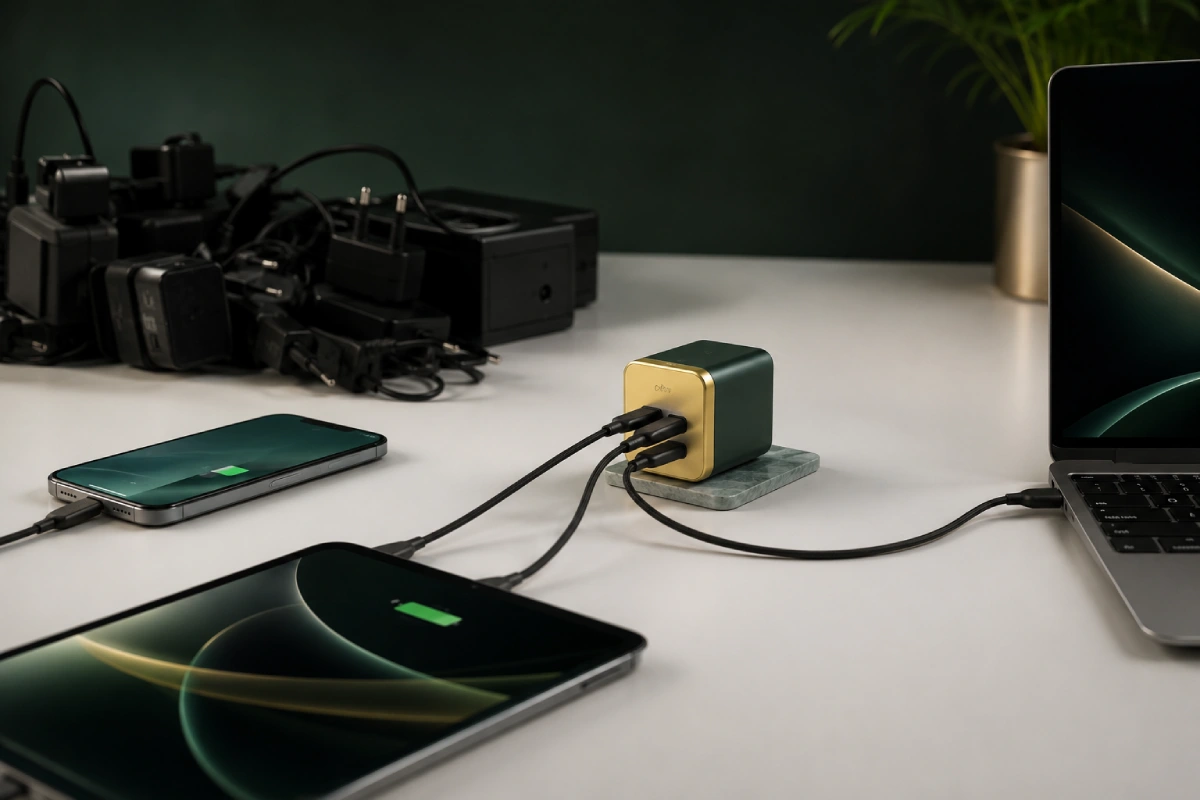
- You almost certainly own several devices with different needs. The plug that came with your phone won't run your laptop; the laptop brick is overkill for earbuds. A pile of mismatched chargers is how most people end up here.
The fix is understanding one standard - USB-C Power Delivery - well enough to buy a single good charger deliberately.
USB-C Power Delivery, in plain English
USB-C Power Delivery (PD) is the modern standard that lets a charger and a device negotiate power over a USB-C cable. Instead of a fixed output, the device says "I'd like this much," and the charger supplies exactly that - safely, up to its maximum.
Two things follow from that, and they're the whole reason PD is so convenient:
- A bigger charger can't "overpower" a smaller device. Plug a 100W charger into a phone and the phone still only draws its safe ~20-40W. The extra capacity just sits in reserve. So higher wattage is never dangerous - it's only ever headroom.
- A too-small charger still works, just slowly. A 20W phone charger will charge a laptop, but at a trickle - possibly slower than the laptop drains while in use. It won't break anything; it just won't keep up.
How many watts each device actually needs
These are approximate ballparks - exact figures vary by model - but they're the right ranges to shop by:
| Device type | Charges best at | Notes |
|---|---|---|
| Earbuds / smartwatch | 5-10W | Almost any charger is plenty |
| Phone (mainstream) | 20-30W | A 30W port fast-charges nearly all phones |
| Phone (fast-charge flagship) | 40-45W+ | Some Android flagships pull more; match the maker's brick |
| Tablet | 20-30W | Larger/Pro tablets prefer 30W+ |
| Laptop (ultrabook / mainstream) | 45-65W | 65W is the everyday sweet spot |
| Laptop (performance / 15-16") | 90-100W+ | Check the original adapter's wattage |
The simplest way to size a charger for any one device: look at the wattage printed on its original adapter (something like "Output: 20V 3.25A" - multiply to get ~65W) and match or exceed it.
The one-charger approach (and GaN)
Because a bigger PD charger safely runs smaller devices, you don't need a drawer full. One well-chosen multi-port charger can cover almost everything you own:
- 65W, 2-3 ports - the best all-rounder. Runs a mainstream laptop on one port while charging a phone and earbuds on the others. Covers most households.
- 100W (or 140W), 3-4 ports - if you have a performance laptop, or want to charge a laptop and a tablet at full speed simultaneously.
Look for the word GaN (gallium nitride). It's a newer internal technology that lets a charger deliver high wattage from a much smaller, cooler-running body than old silicon bricks. A 65W GaN charger is barely bigger than an old phone plug - and running cooler is good for the charger and, indirectly, everything attached to it. Heat is the enemy of batteries, as covered in our guide on what ages a lithium cell.
The cable matters more than you think
A charger is only half the chain - the cable has to carry the power too, and this is where fast charging quietly fails:
- Not all USB-C cables handle high wattage. A thin charge-only cable may cap at 60W or throttle a laptop. For 100W+ you need a cable rated for it (often marked, and EPR/240W cables carry an e-marker chip).
- Worn or cheap cables run warm and slow. If fast charging suddenly got sluggish, try a different cable before blaming the charger or battery.
- Data vs power. Some cables are power-only; fine for charging, but not if you also want to move files or drive a display.
What to avoid
- Ultra-cheap no-name bricks with no listed safety certification. These are the ones that run hot or deliver unstable power. A known brand with proper certification is worth the few extra dollars.
- Ancient USB-A "fast" chargers using proprietary schemes. They won't do PD and often underperform on modern USB-C devices.
- Assuming all ports are equal. On many chargers only the USB-C port(s) do full PD; a USB-A port on the same unit may be much slower.
- Buying purely on wattage. A trustworthy 65W beats a sketchy 100W every time.
How to pick, in three steps
- Find your biggest device's need. Read the wattage off its original adapter (or use the table above). That's your minimum.
- Add headroom and ports. Round up, and get enough ports for how many things you charge at once - remembering wattage splits when ports are shared.
- Buy a certified GaN unit and a properly rated cable. Known brand, listed safety marks, a cable rated for your target wattage. Done - one plug for the whole desk.
⚡ Charging loose cells too?
Wall chargers run built-in batteries. For AA/AAA and lithium cells, you want a proper cell charger - here's what to buy.
Read: The Best Battery Chargers →Bottom line: stop treating chargers as interchangeable freebies. Learn your biggest device's wattage, buy one certified GaN USB-C PD charger with a little headroom and enough ports, pair it with a cable rated for the job, and you'll charge everything faster, cooler, and from a single plug. Then make those charges count with the habits in the charging guide.
FAQ
Can I use a higher-wattage charger than my device needs?
Yes, and it's safe. With USB-C Power Delivery the device requests how much power it wants and the charger supplies only that. A 100W charger plugged into a phone will charge it at the phone's safe rate, not blast it. A higher-wattage charger just means headroom to charge bigger devices too.
How many watts do I need to charge a laptop?
Most mainstream laptops charge well from a 60-65W USB-C Power Delivery charger, while larger or performance laptops may want 90-100W or more. Check the wattage printed on your laptop's original adapter and match or exceed it. A 65W charger covers the large majority of everyday laptops, phones, and tablets from one brick.
Is it bad to use a cheap third-party charger?
A quality third-party charger of the correct USB-C PD standard is perfectly fine and often better than the bundled one. The units to avoid are ultra-cheap no-name bricks with no listed safety certification, which can run hot or deliver unstable power. Look for a known brand and proper certification rather than the lowest price.
Wattage figures are approximate ballparks that vary by device model and firmware - always check your own device's specs. This is general guidance, not an endorsement of any specific product. VoltRated is independent and curation-based; we don't run our own lab tests.